nameport
Automatic .localhost DNS names for every HTTP service
What it does
nameport is a daemon that watches your machine for HTTP services, gives them human-friendly names, and reverse-proxies them through .localhost domains. No config files, no /etc/hosts, no DNS server.
Auto-discovery
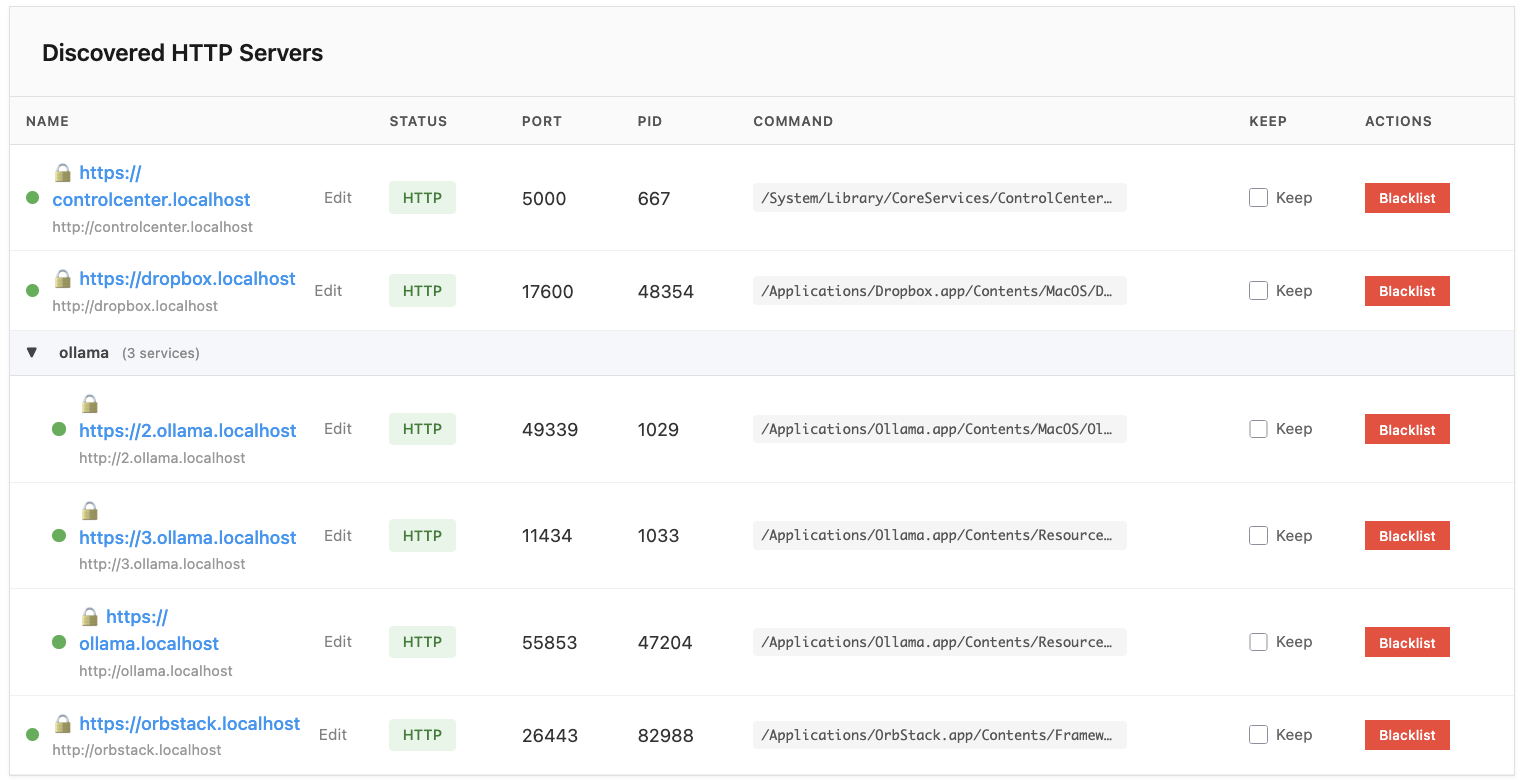
Scans for listening TCP ports every 2 seconds and verifies they speak HTTP.
Smart naming
17 built-in heuristics extract names from project directories, app bundles, and script paths.
Reverse proxy
Routes traffic through port 80 and 443 with .localhost domains. No DNS needed.
Web dashboard
Real-time health status, inline rename, keep, and blacklist controls.
CLI
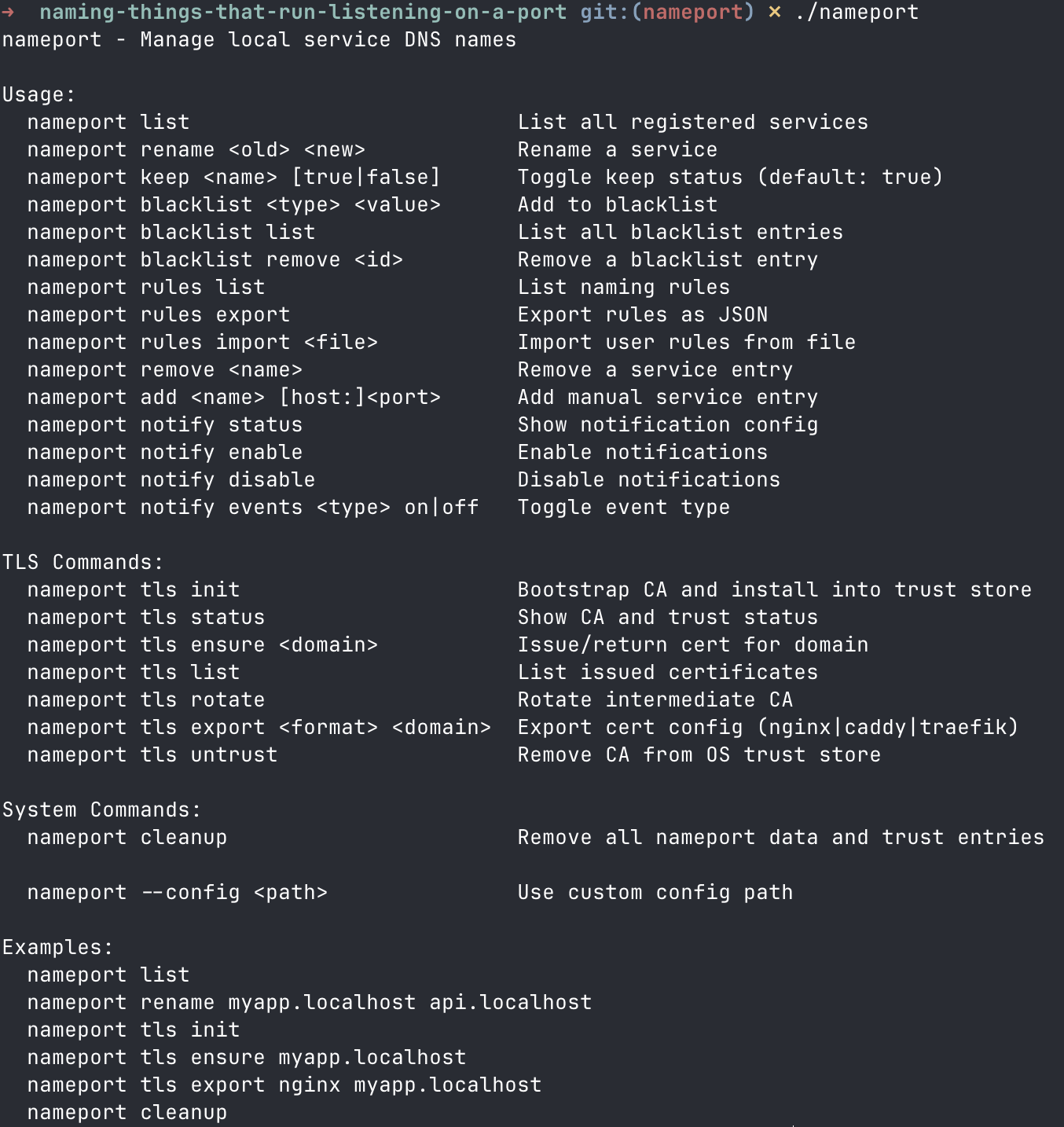
Full management: list, rename, keep, add, remove, blacklist, rules, notify.
Local TLS
Two-tier certificate authority with domain policy enforcement for local HTTPS.
Docker support
Auto-detects containers with exposed ports and names them.
Notifications
Desktop alerts for service discovery, offline, and rename events.
How it works
nameport runs a daemon that binds to ports 80 and 443. It continuously scans for listening TCP ports on your machine, probes each one to verify it speaks HTTP, then generates a human-readable .localhost domain using heuristics based on the process name, working directory, or app bundle.
Every discovered service gets a reverse proxy entry. Open http://myapp.localhost in your browser and traffic is forwarded to the right port. Collisions are handled automatically: myapp.localhost, myapp-1.localhost, myapp-2.localhost.
The .localhost TLD is reserved by IANA (RFC 6761) and resolves to 127.0.0.1 in all modern browsers without any DNS configuration.
Inspired by
nameport is the spiritual successor to dns-to-port by Florian Margaine, who saw the problem first and built the original solution. nameport shares dns-to-port's MIT license and community values while adding automatic discovery, zero configuration, and a web dashboard.
Security notice
- No code has been read by a human. This project was written entirely with AI assistance. No human has reviewed the source line by line.
- The local CA can create certificates for any domain on the whitelist. Trusting it in your system keychain is a real security risk. A compromised daemon could issue certificates and intercept traffic.
- Hardcoded defenses exist (TLD whitelist restricted to
.localhost,.test,.internal; full IANA public TLD blocklist), but the potential for man-in-the-middle attacks remains if the CA key is compromised. - No binaries are provided. Clone the repository and run
makeyourself. Read the code if you can.
Quick start
Requires Go 1.21+ and root access for port 80.
git clone https://github.com/OriPekelman/nameport.git
cd nameport
make
sudo ./nameport-daemon
Start any local HTTP server and it appears automatically:
cd ~/projects/myapp && python3 -m http.server 3000
# opens at http://myapp.localhost